Walk the shop once.
Know the total before the till.
Bazar sorts your list into aisle order, counts the basket as you go and watches your budget. No account, no cloud, no signal needed.
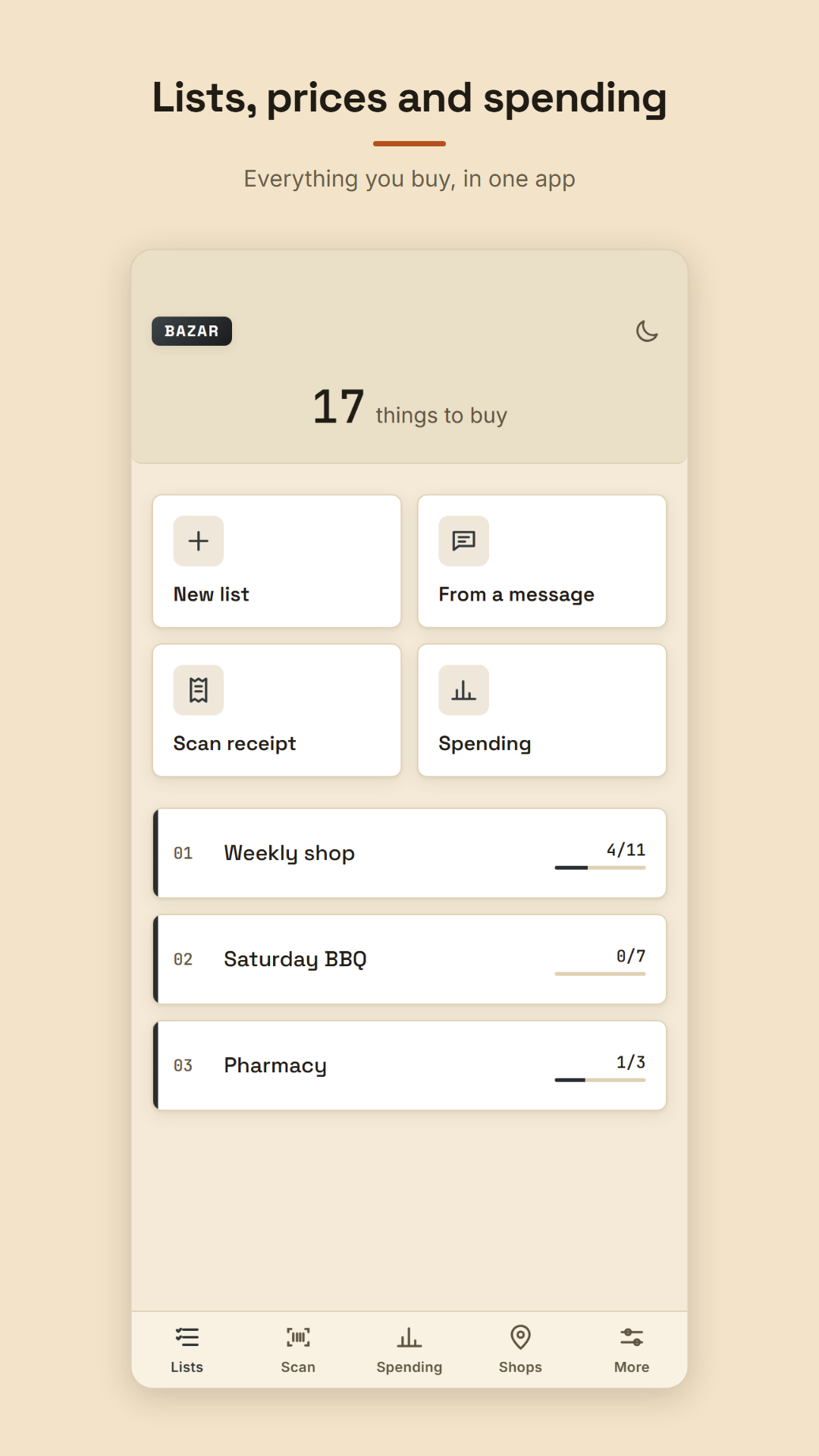
From a muddle in your head to a finished list
Type what you need
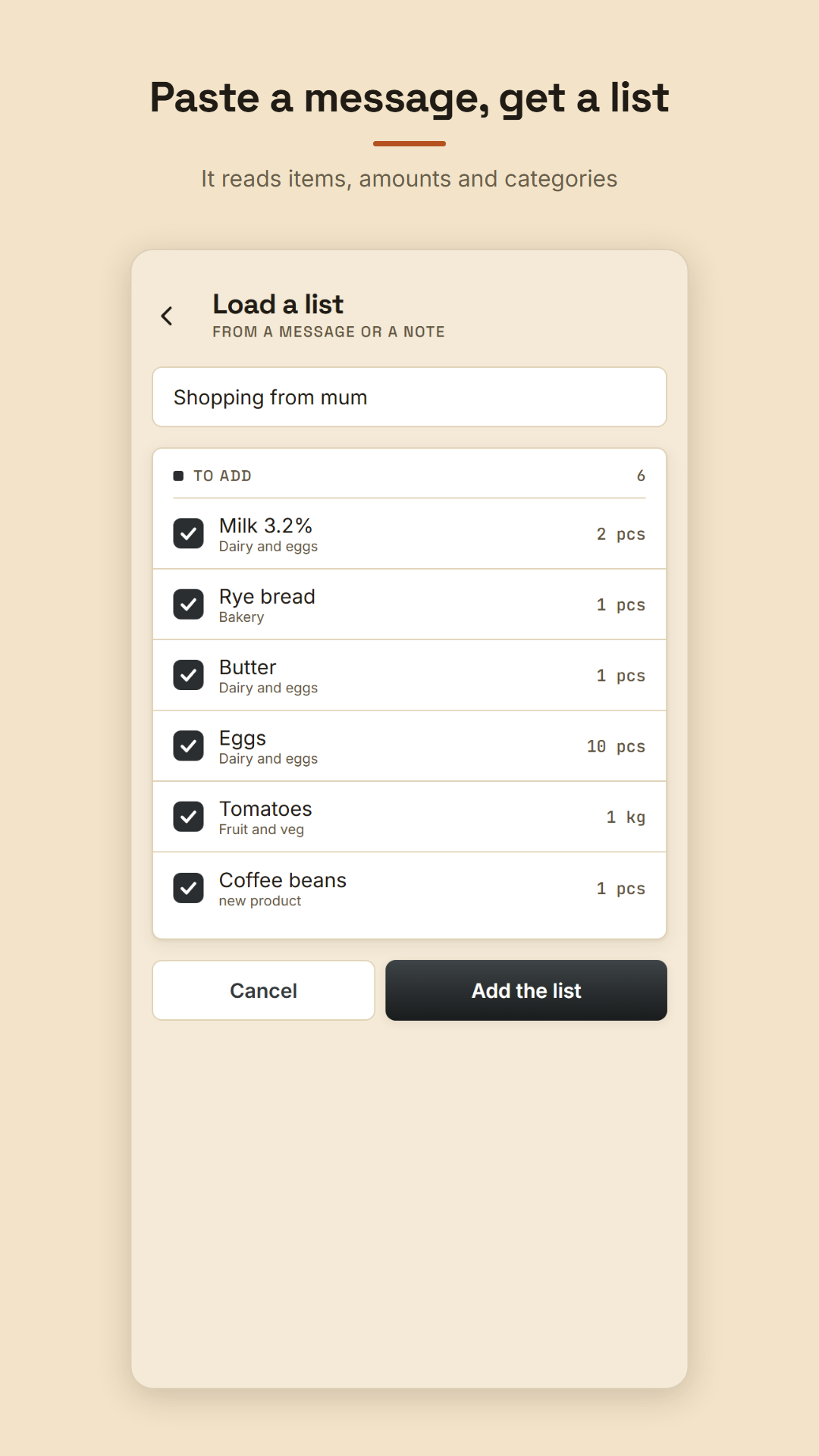
In any order, as it comes to you. You can also paste a list from a text or chat — Bazar picks out the items, amounts and categories.
The list sorts itself
Products land in categories and line up the way you walk through the shop — from fruit and veg to dairy. No more going back for the yoghurt.
Tick off and watch the total
Enter a price as you tick things off. Bazar counts what is in the basket, what is left and what the till will say.
Three things a paper list will never do
Aisle order, not the order you typed
You type in a mess, because that is how memory works. Bazar groups products into categories and arranges them in the order you pass the shelves. The longer you use it, the better it knows your shop — it learns the layout from the order you tick things off.
Learns your shop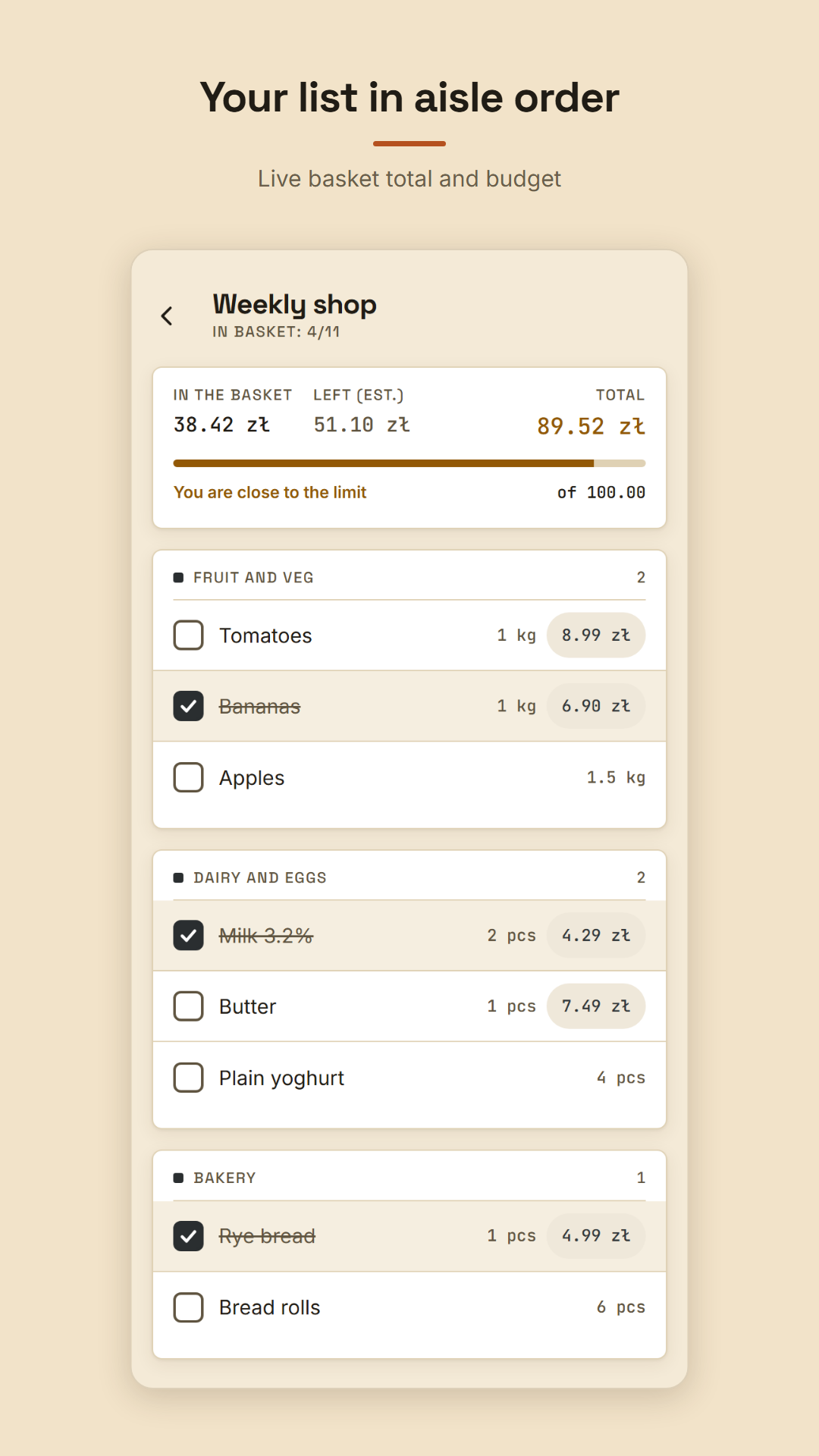
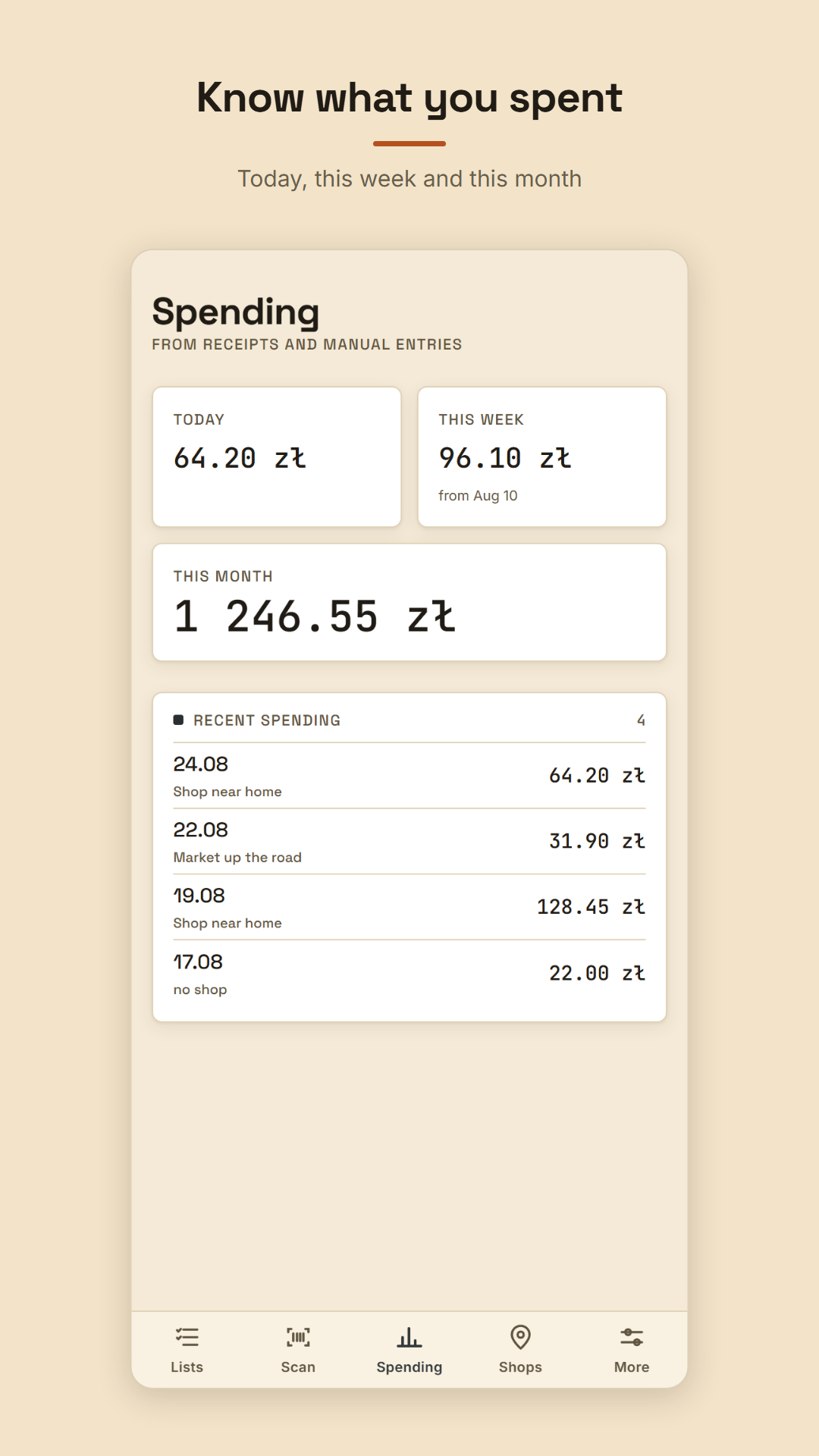
The total grows as you shop
Set a budget for the trip and the app tells you when you are getting close and when you have gone over. Afterwards you can see what went today, this week and this month — from receipts and manual entries.
Budget and spendingYour inflation, not the one on TV
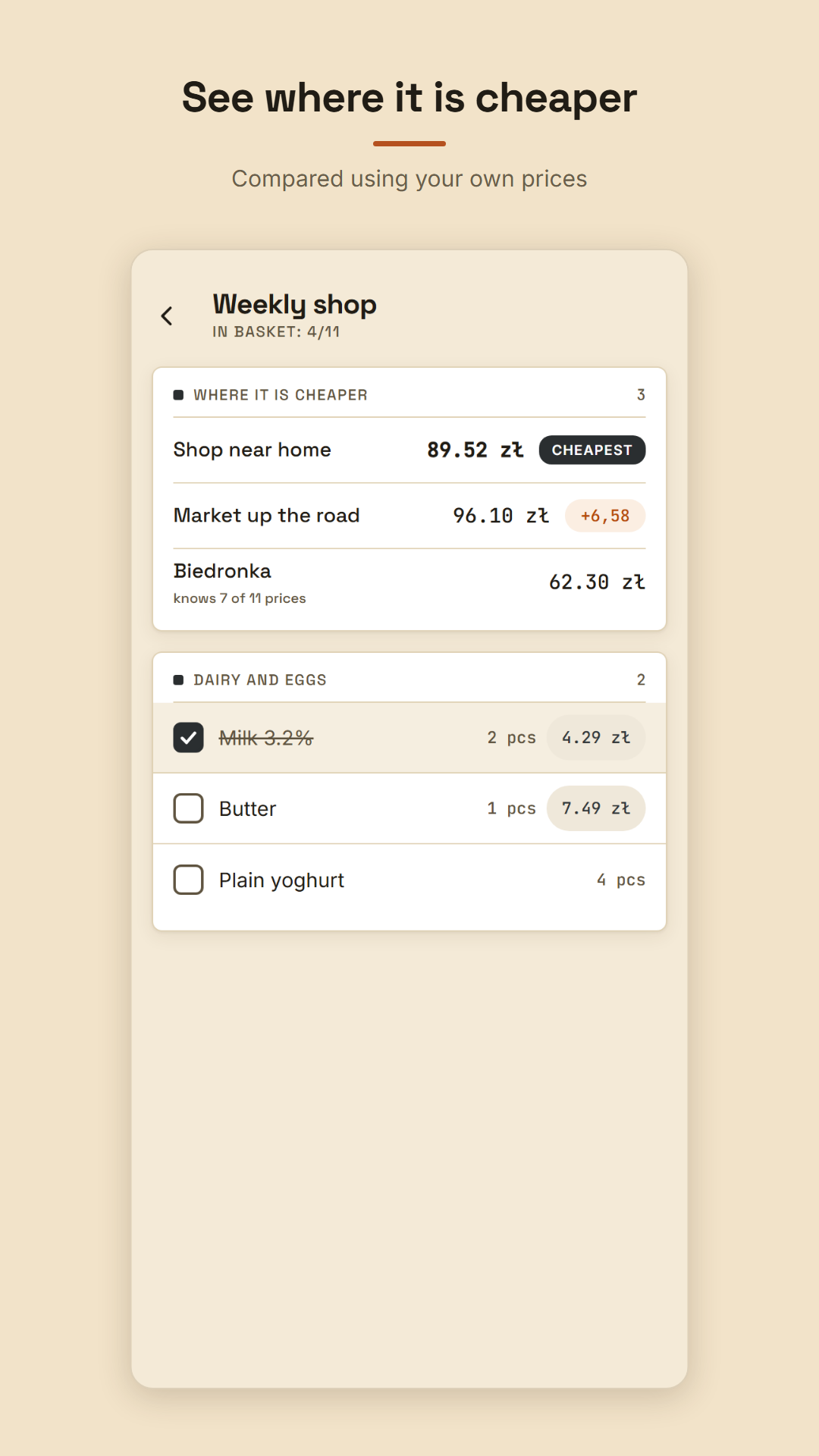
Every price you enter stays in that product's history. After a few weeks a chart shows how much YOUR basket went up — not a national average. The same list compared across your shops answers where it is cheaper.
Worked out from your prices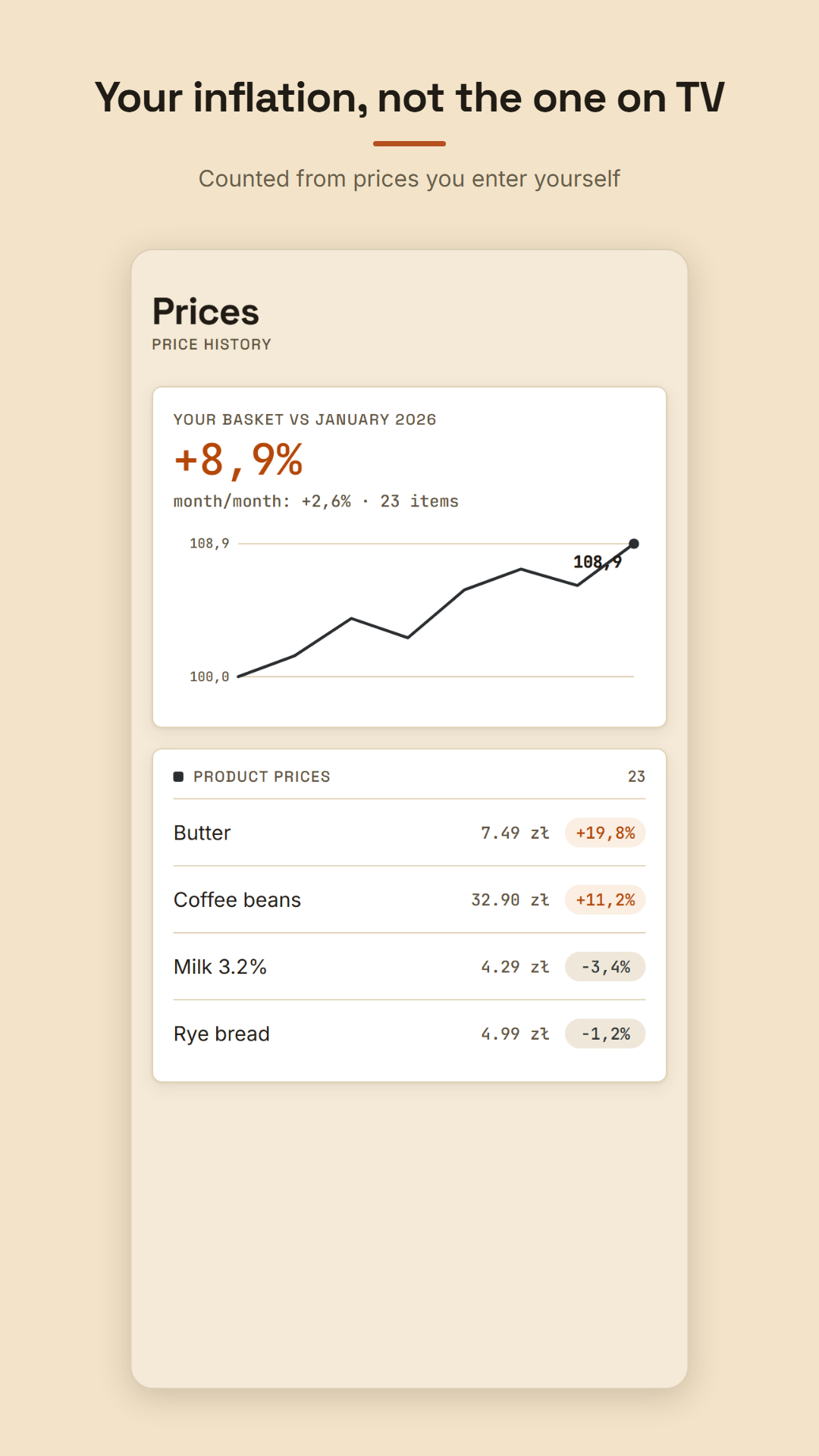
Everything under one thumb
Aisle order
The list follows the way you walk the shop.
Live total
Basket, what is left and the till figure.
Budget
A warning before you go over the limit.
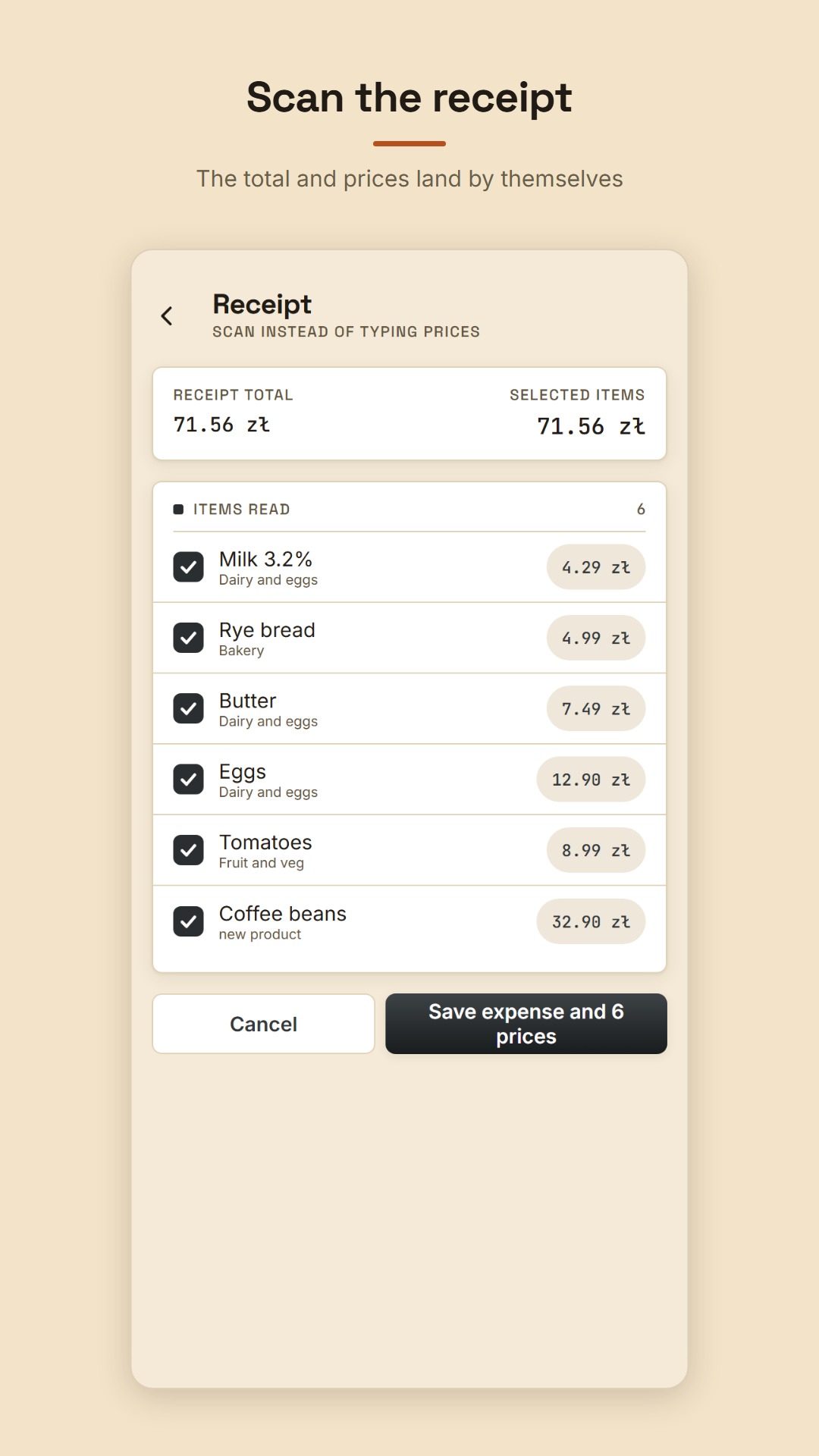
Receipt scan
The camera reads the total and items on device.
Spending
What went today, this week and this month.
Price history
A chart of your own basket inflation.
Where it is cheaper
The same list compared across your shops.
List from a message
Paste the text and Bazar finds the items.
Shopping is not a project. It is twenty minutes on a Wednesday.
No sign-up, no subscription, no sync to configure. Open it, make a list, go.
★★★★★ Rate Bazar on Google Play and help other people find it
See it before you install
Before you download
Is Bazar free? +
Yes. There are no subscriptions and no in-app purchases — every feature works from the first launch. In the future a single banner advertisement will fund the app; before any ad loads you will see Google's consent form, and your lists, prices and spending will never be used for advertising.
Does it need an internet connection? +
No. Lists, ticking off, budgets, spending and receipt scanning all work with no signal. A connection is only used to look up a product by barcode, to show the map of nearby shops and for Google Play updates.
Do I need an account? +
No. There is no sign-up and no sign-in. Lists, prices and spending live in a local database on your phone and never reach a server of mine.
What happens to the photo of the receipt? +
The photo goes into the app's private working folder, is read by the text recognition built into your phone and is deleted immediately afterwards. I never send it anywhere. Note: your phone's camera app may keep its own copy in the gallery, independently of me.
What happens to my lists if I change phones? +
Android Auto Backup is enabled, so the app's data can be restored from your own Google Drive backup when you reinstall the app or set up a new phone.
What languages does Bazar speak? +
English (British and American), Polish, German, Spanish, French, Dutch, Swedish, Norwegian, Danish, Finnish, Japanese and Korean. You switch the language in the “More” tab; by default the app follows your phone's setting. The currency is separate — it follows your phone's region, not its language.
Make today's list
Aisle order, a live basket total and spending you can see — free on Google Play.